Week 1 (23-Feb)
Those are the pictures I took earlier and I will edit them to make them more bright or change exposure.


I tried to edit this picture and to change that bright background by changing the exposure, but when I changed it I saw that it change to light pink colour which I didn't want to. To prevent this, next time I will make sure I have the right settings, so I wont get a really bright picture, which will be easier for me to edit it later.


I also tried to experiment to black&white filter to see how the atmosphere in the photo will change. And I really like how I got the results.
I'm also planning to edit them in different way next time, because I don't like the results. I will put the final results in problem solving page with evidence such as screenshots and explain what I did.
Finishing my FMP essay


Doing my shutter drag Research

Week 2 (02-Mar)
I did my research on fashion and architectural photography using slow shutter speed technique to understand how it works and also read what setting from other photographers are recommended.
Planning PechaKucha presentation


This is my PechaKucha plan of what I will talk about and the presentation by itself with pictures I will show to my classroom.
Week 3 (09-Mar)
I'm still doing my PechaKucha presentation and I need to improve on what I will say.

Doing more research on:
Street photography
Light painting photography
Slow shutter speed in video
Slow shutter speed in a studio to create interesting portraits
In order to understand how I'm planning to do or to get more clear ideas, I did different research and it helped me to decide what I want to do and what I'm not really interested in.
Street photography and light painting photography are the most what I'm interested in and what I'm planning to do for my FMP.
Week 4 (16-Mar)
I think I almost finished my PechaKucha presentation and again I will need to check if I need to add or change anything in my PechaKucha plan. Next week I will try to finish it and present it when I'm ready to.


Week 5 (23-Mar)
In this week presented my PechaKucha presentation and I got lots of feedback about how I did it. The feedback will help me get better and improve on my future presentations. And, I think I got a really good script, because I was only talking about slow shutter speed, I included my secondary and primary research, explained my theme and pathway, talked about the settings and equipment I will use. I also included my examples of the photos that I took using this technique and I intend to do some posters and more experimentations with lights.
Week 6 (13-Apr)

I'm going to edit the pictures in Adobe Photoshop that I took in Hyde Park, where everything is moving, it is easier for me to take pictures.
This week, I'm also planning to take pictures of the traffic, but I will do it more in the evening. I can also try to do some of the shutter drag technique.
Week 7 (20-Apr)

So this is the location where I took pictures of the traffic and lights using slow shutter speed technique.

And this is a raw image I took, I'm also planning to edit them using Adobe Photoshop. I also want to try to do some experimenting in Adobe Lightroom.
Week 8 (27-Apr)
I will finish editing some pictures I took in central London and I'm also planning to make posters with slow shutter speed pictures.

I'm also planning to take pictures of fun fair attractions next week. Because they are moving in different speed and especially in the evening I will capture that blurry lights.
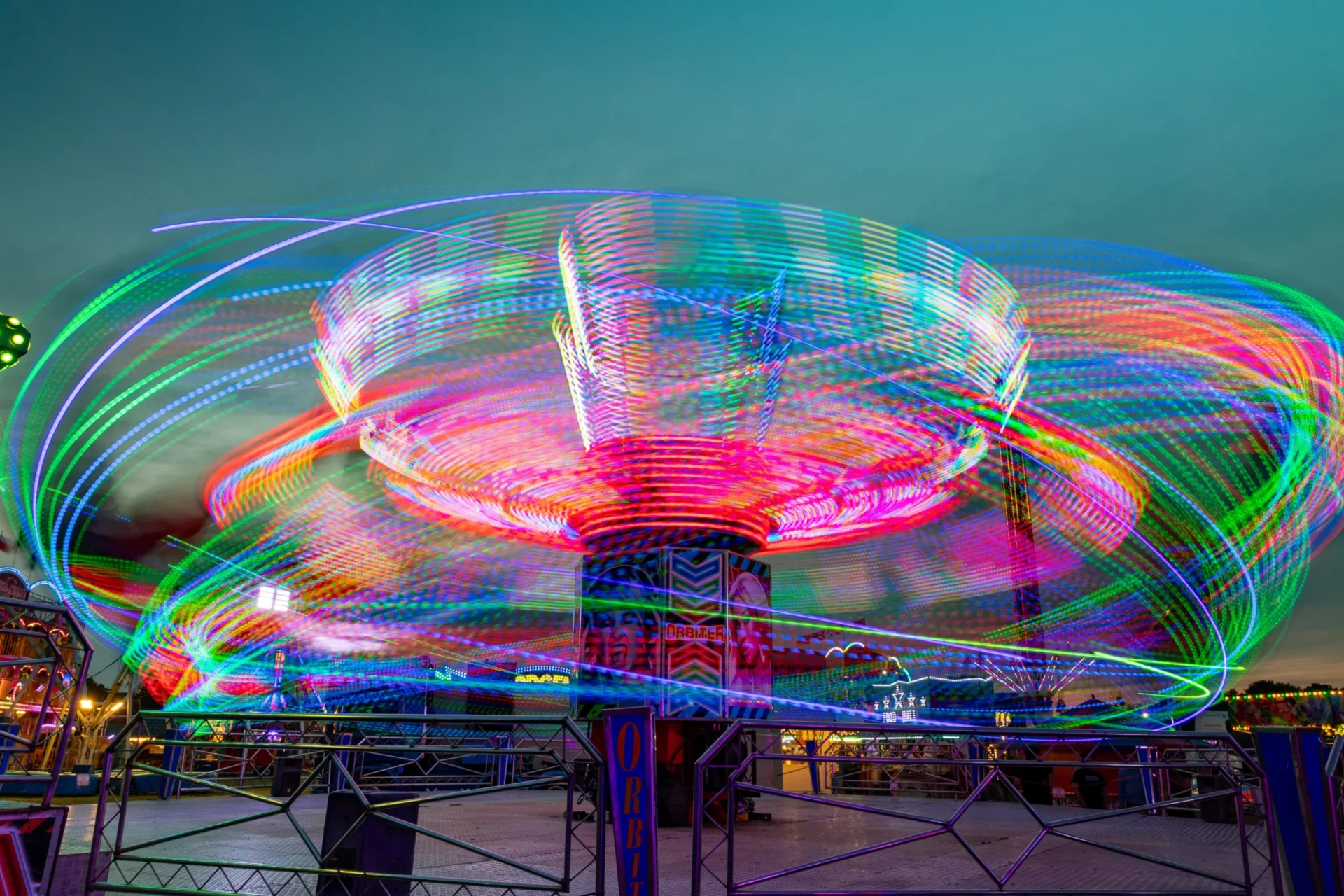
Week 9 (04-May)
Week 10 (11-May)
Week 11 (18-May)
Week 12 (25-May)
Week 13 (1-June)
Week 14 (8-June)
Week 15 (15-June)
Week 16 (22-June)
Week 17 (29-June)
Week 18 (6-July)

Немає коментарів:
Дописати коментар